
Piano Tiles 2™ - Piano Game
Kooapps Games | Fun Arcade and Casual Action GamesMusic
4.11.69K Reviews
- Version
- 1.13.5
- Installs
- 10.00M
- Age Rating
- Everyone
Screenshots

Our Review of Piano Tiles 2™ - Piano Game
 Analysis by Appyee
I first picked up Piano Tiles 2™ - Piano Game for the quick appeal of tapping along to music, but the part that keeps me interested is how a simple pattern can turn into a real timing test. It is a free music game from Kooapps Games | Fun Arcade and Casual Action Games, and its basic idea is easy to grasp even if you have never played a rhythm game before. I would think of it as a reflex game with a musical presentation, rather than a way to learn piano.
Where a quick session can get tricky
The central challenge is not understanding what to do; it is staying accurate when the pace rises. Early taps can feel forgiving, but once tiles arrive faster, a small hesitation or an over-eager finger can break a run. I find that the most useful adjustment is to watch a little ahead of the tile I am about to tap, instead of staring at the very bottom of the screen. That gives me a moment to anticipate the next move without turning the game into a frantic blur.
It also helps to play with one finger rather than trying to cover several lanes at once. A second hand can seem faster, but unless your fingers are landing deliberately, it is easy to create accidental taps. I use the hand that feels steadier and keep the other free; on a larger phone, I might change that choice, since reach and grip can affect accuracy. These are small habits, but they make a noticeable difference when a song speeds up.
Because the game asks for quick, repeated screen taps, it is less comfortable in situations where I cannot give it my full attention. A noisy commute, a bumpy ride, or a short break where someone may interrupt me can turn a satisfying run into a string of mistakes. For those moments, I would choose something that can be paused or played at a gentler pace. Piano Tiles works best when I can focus for a few minutes without needing to look away.
How the tapping, music, and progression fit together
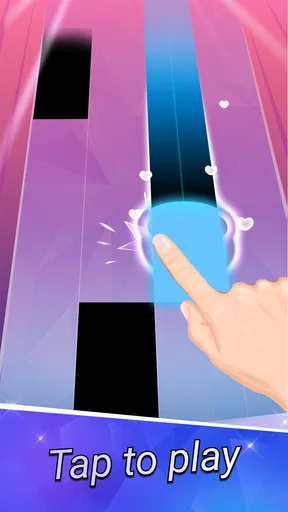
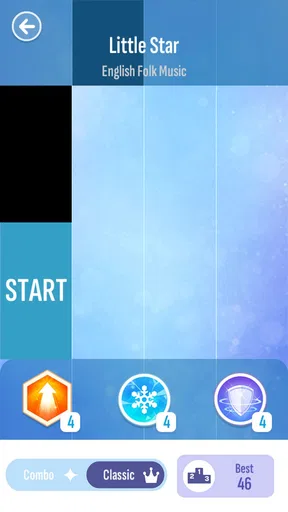
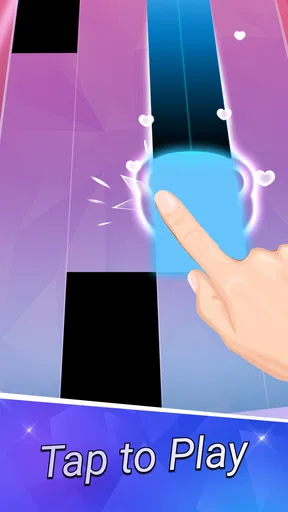
First off, the gameplay is super straightforward, which I totally appreciate. The core idea is to tap the black tiles as they slide down your screen and avoid the white ones. Sounds simple, right? But don't be fooled! As you progress, the pace picks up, and it becomes a genuine test of your reflexes and timing. It’s like a musical version of "the floor is lava," and trust me, it’s ridiculously satisfying when you nail a fast-paced song.
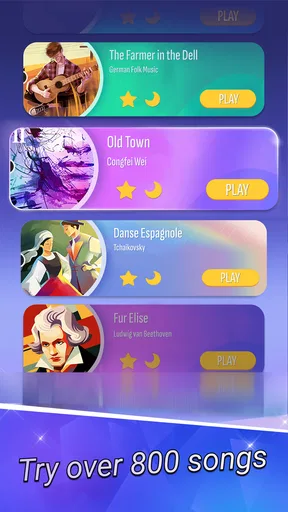
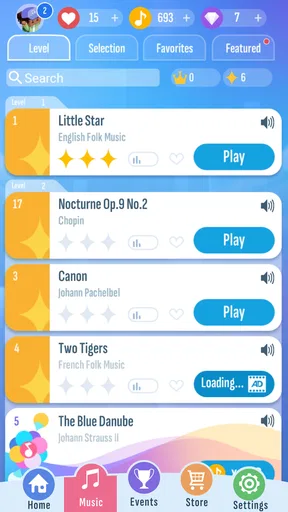
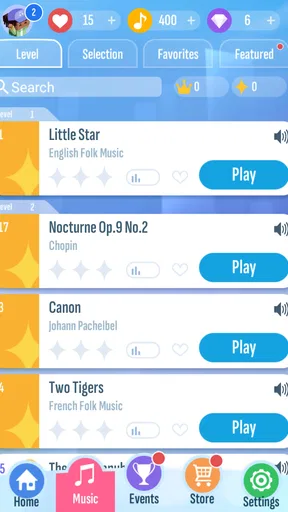
One of the things I love most about Piano Tiles 2™ - Piano Game is the wide variety of songs. From classical pieces like Beethoven's "Fur Elise" to more modern tracks, there’s something that will cater to everyone's taste. And the best part? The game is constantly updating its song library, which keeps things fresh and exciting.
Setup checks before blaming your timing
The game is free to start, rated for Everyone, and was released on October 6, 2023. It is currently version 1.8.23 and needs Android 6.0 or later, so I would check the device version first if it will not install or open on an Android phone. These details help answer a practical question: it is aimed at a broad audience, but an older device can still be a barrier if it does not meet the minimum system requirement.
For a fair first try, I would also make sure the phone is held securely on a stable surface or in a comfortable two-handed grip. A case with a raised edge, a screen protector, or simply a cramped grip can change where a tap lands. If a tile seems to register inconsistently, try a few deliberate taps in a calm moment before deciding that the game itself is at fault. I would avoid testing while walking or carrying something, since missed taps in that situation say more about the setup than about the rhythm challenge.
Sound is part of the appeal, but it is worth separating what I hear from what I see. If the music is hard to make out in a busy room, headphones can make the rhythm easier to follow, provided they are comfortable and safe for the setting. In a quiet shared space, lowering the volume or muting the phone may be more considerate; then I would rely on the visual pattern and avoid assuming that audio is necessary to every successful run. The best setup is the one that lets me concentrate without distracting people nearby.
Visuals and Sound
The visuals are clean and minimalistic, which is perfect because it prevents any distractions as you focus on hitting the right notes. The interface is intuitive, making it easy for anyone to pick up and start playing without a steep learning curve.
And oh, the sound quality! It’s impressive. The audio fidelity makes you feel like you're playing an actual piano. The game developers have done a splendid job in ensuring that each note sounds crisp and clear. Plus, the haptic feedback when you hit a tile just right adds an extra layer of immersion. It’s little touches like these that elevate the gaming experience.
Keeping a run enjoyable rather than frustrating
One practical way I pace a session is to treat a failed run as a cue to reset my attention, not as a reason to hammer the screen faster. I relax my hand, settle the phone, and try again with a lighter touch. If I keep making the same mistake, I stop for a moment rather than repeating attempts while annoyed. That matters because this game rewards controlled timing; tapping harder does not make a rushed decision more accurate.
For a short everyday break, I might play one song while waiting for a kettle or between tasks, then put the phone down before the session expands into a longer streak of retries. It is a better fit for those small pockets of focused downtime than for listening passively while doing something else. If I want music in the background, I would choose a music player; if I want to practise an instrument, I would use a piano-learning tool. This game sits between them: it turns listening into a quick coordination challenge, not a substitute for either activity.
Compared with many music games built around matching notes or building a collection, the appeal here is the directness of tapping tiles as they descend. That makes it easy to understand at a glance, though it also means the central action can feel repetitive if I want complex controls, expressive playing, or a story to follow. I would recommend it to someone who enjoys chasing better timing in short bursts. Players who dislike rapid finger movement, prefer slow-paced puzzles, or want structured music lessons may be happier elsewhere.
Progression and Challenges
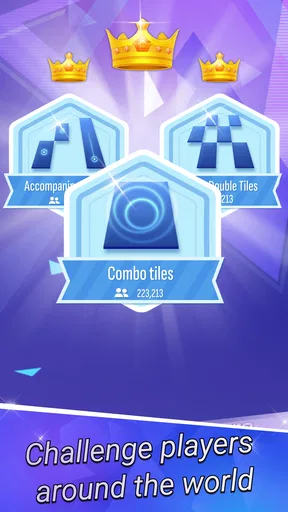
Now, let's talk about progression. The game does a fantastic job of keeping you hooked with its level system. As you play and succeed, you earn stars that unlock new songs and challenges. There's a real sense of achievement as you see your skills improve and unlock more complex compositions. The competitive aspect is also a big draw, with leaderboards that let you see how you stack up against other players worldwide. It’s a great motivator and adds a social element to the game.
Challenges and events are regularly updated, which means there's always something new to tackle. Whether it's a speed challenge or a themed event, these additions keep the gameplay dynamic and engaging.
Recovering when the routine breaks
If the game closes unexpectedly or a session is interrupted, I would start with ordinary checks instead of assuming that progress has vanished: reopen it, confirm the phone has a stable connection if an online feature is involved, and make sure the device has not run out of space or become overloaded with other open apps. I would not clear saved app data as a first move, because that can remove locally stored information in some games. A restart is a gentler first step than deleting and reinstalling.
If a song feels out of sync, I would first check whether the problem follows the music or only happens when the phone is busy. Pausing other demanding activity and trying again in a steadier environment can help distinguish a timing issue from a device hiccup. If only one attempt goes badly, I would not treat it as proof of a persistent fault; if the same problem repeats after a restart, checking for an available game update is a sensible next step.
On iPhone or iPad, I would check that the operating system and the game are up to date through the usual device settings and store pages. The Android minimum requirement is Android 6.0, but that does not tell me the minimum iOS version, so I would check compatibility on the relevant Apple device before downloading. In either case, keeping the device charged and avoiding a cluttered, unstable setup makes a quick rhythm session less frustrating.
When the phone, room, or expectations are the real issue
Not every missed tile means the game has a problem. A screen that is wet, a finger that is moving between taps, or a phone being jostled can all make precise input harder. I also find that fatigue matters: after a long day, my reaction time is not as dependable, and the faster sections can feel harsher than they did earlier. If accuracy drops suddenly, I take a short break and check the physical setup before changing how I play.
The same goes for sound and immersion. The game’s piano-like presentation can make each successful sequence satisfying, but it is still a mobile tapping game rather than a real keyboard. Someone expecting lessons, sheet music practice, or a way to develop piano technique should not mistake the musical theme for instruction. I would choose a dedicated learning app or an actual instrument for those goals.
Monetization and Ads
Of course, like many free apps, Piano Tiles 2™ does feature ads, but they are relatively unobtrusive. While some might find them a bit annoying, they don’t significantly detract from the overall experience. There are in-app purchases available if you want to go ad-free or purchase additional content, but the game is entirely enjoyable without spending a cent. It’s nice to see a game that offers a fair balance between free content and optional purchases.
The game has a 4.3 average from around 69,000 ratings, and it has been installed more than 10 million times. I take that as a sign that the familiar tap-to-the-beat format has broad appeal, not as a guarantee that every player will enjoy its pace. It is free to download, while optional in-app purchases range from $0.99 to $299.99 per item. I would keep purchases optional and check the amount carefully before confirming anything, especially if a child is playing; the Everyone age rating does not mean every purchase is free.
Final Thoughts
All in all, Piano Tiles 2™ - Piano Game is a delightful mix of simplicity and challenge. It’s perfect for killing a few minutes or diving deep for a longer session. The combination of an extensive song library, clean visuals, and excellent sound quality makes it a standout in the crowded market of mobile games.
If you haven’t tried it yet, I highly recommend giving it a go. Whether you're a music lover or just someone who enjoys a good gaming challenge, you’ll find yourself tapping along in no time. Just be warned: it’s incredibly addictive!
My practical recommendation is to try it when you have a steady grip, a little quiet, and a few uninterrupted minutes. If the fast sections are what you enjoy, the simple controls make it easy to return for another run; if they feel stressful or repetitive, there is no need to force it. For me, the best reason to install it is that it turns a familiar piano sound into a focused, bite-sized reflex challenge. I would skip it if I wanted lessons, relaxed listening, or a game that does not depend so heavily on quick taps.
Privacy and Permissions
See what permissions an app requests and how it handles your data.
- Microphone
- record audio
- Wi-Fi connection information
- view Wi-Fi connections
- Other
- view network connections, full network access, control vibration, prevent device from sleeping, Google Play license check
Verdict
Strengths of Piano Tiles 2™ - Piano Game
- Addictive gameplay keeps users engaged.
- Wide variety of songs to choose from.
- Smooth and responsive touch controls.
- Regular updates with new content.
- Offline mode available for on-the-go play.
Limitations of Piano Tiles 2™ - Piano Game
- Contains frequent ads between levels.
- In-app purchases can be costly.
- Some songs require high skill levels.
- Limited customization options for tiles.
- Occasional lag on older devices.
Other Releases by Kooapps Games | Fun Arcade and Casual Action Games
View All
Snake.io - Fun Snake .io Games
Action4.1
Similar Picks in This Category
View All
Tiles Hop Music & Ball Game
AMANOTES PTE. LTD.4.3

Magic Tiles 3™ - Piano Game
AMANOTES PTE. LTD.4.6

Real Piano
Bilkon3.7

Piano Game: Classic Music Song
Dream Tiles Piano Game Studio4.0

Smash Colors: Music Ball Rush
BADSNOWBALL HONGKONG LIMITED4.2

Piano Music Go-EDM Piano Games
Joy Journey Music Games4.5
Frequently Asked Questions
What is the main objective of Piano Tiles 2™?
Piano Tiles 2™ is a rhythm-based music game where the primary objective is to tap on black tiles as they slide down the screen while avoiding white tiles. It’s designed to test your reaction speed and coordination, all while enjoying a wide selection of classical and popular music tracks.
Is Piano Tiles 2™ free to play, and are there in-app purchases?
Yes, Piano Tiles 2™ is free to download and play. However, it includes optional in-app purchases that can enhance your gameplay experience. These purchases may include additional songs, lives, or ad removal options, allowing you to enjoy uninterrupted play.
What are the system requirements to play Piano Tiles 2™ on Android and iOS?
For Android devices, Piano Tiles 2™ typically requires Android 4.1 and up. For iOS devices, it usually requires iOS 9.0 or later. These specifications ensure smooth gameplay and optimal performance, so it's advisable to check your device's compatibility before downloading.
How does the game handle difficulty progression?
Piano Tiles 2™ features a gradual increase in difficulty levels. As you advance, the speed of the tiles increases, and the patterns become more complex. This progression keeps the game challenging and engaging, encouraging players to improve their skills continuously.
Can I compete with friends or other players in Piano Tiles 2™?
Yes, Piano Tiles 2™ allows players to connect with friends and compete on leaderboards. You can share your scores on social media and challenge others to beat your high scores, adding a social and competitive aspect to the game that enhances replayability.
Play our best games!


